Click here to view the "Exporting your Documents List" Video
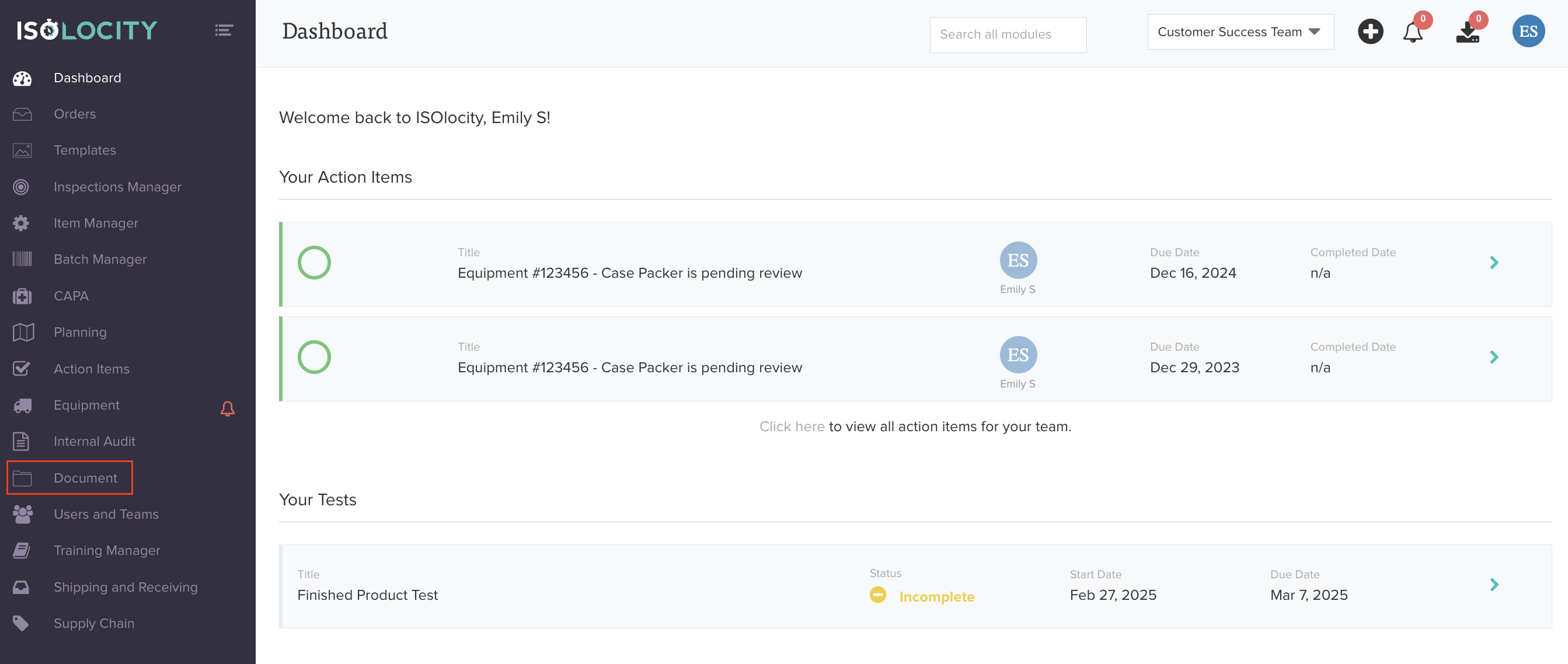
Step #1
Click here to access your "Documents".
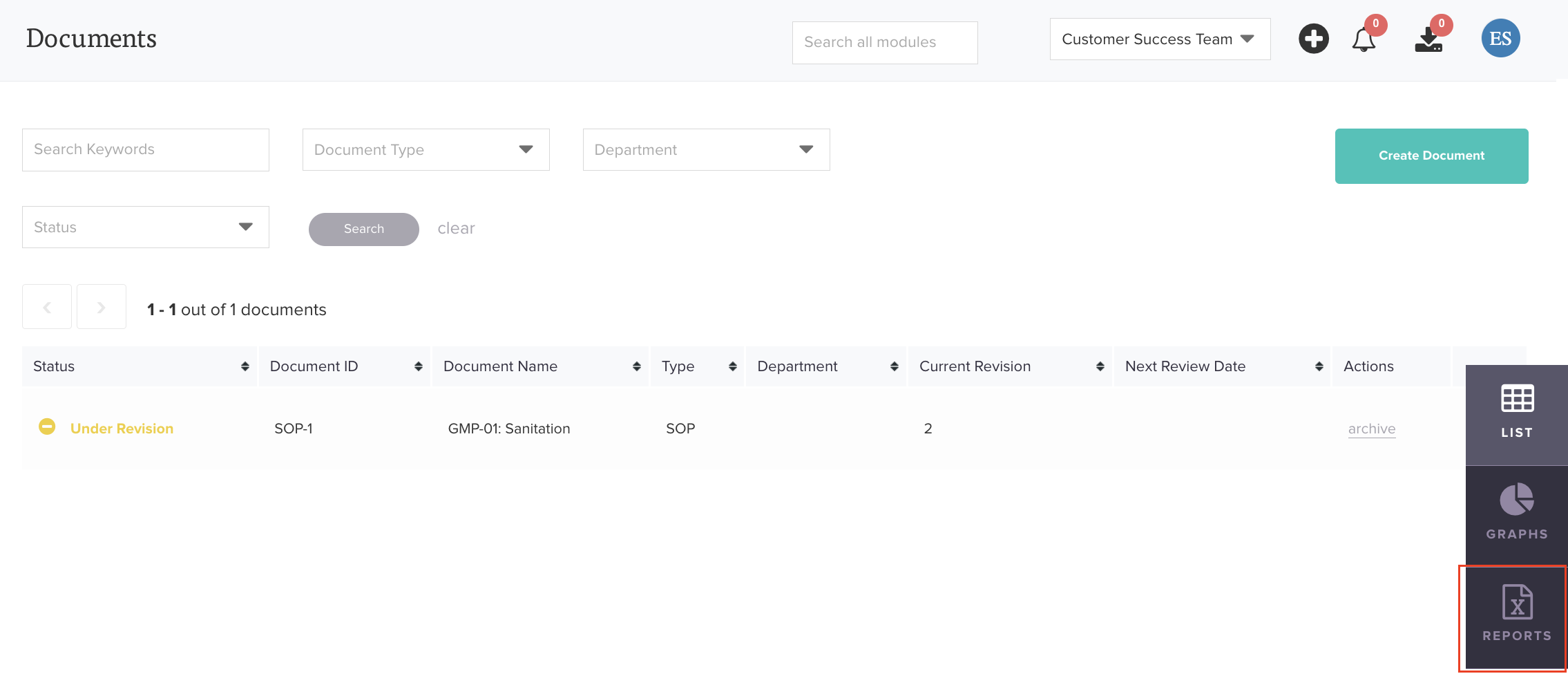
Step #2
Click "Reports".
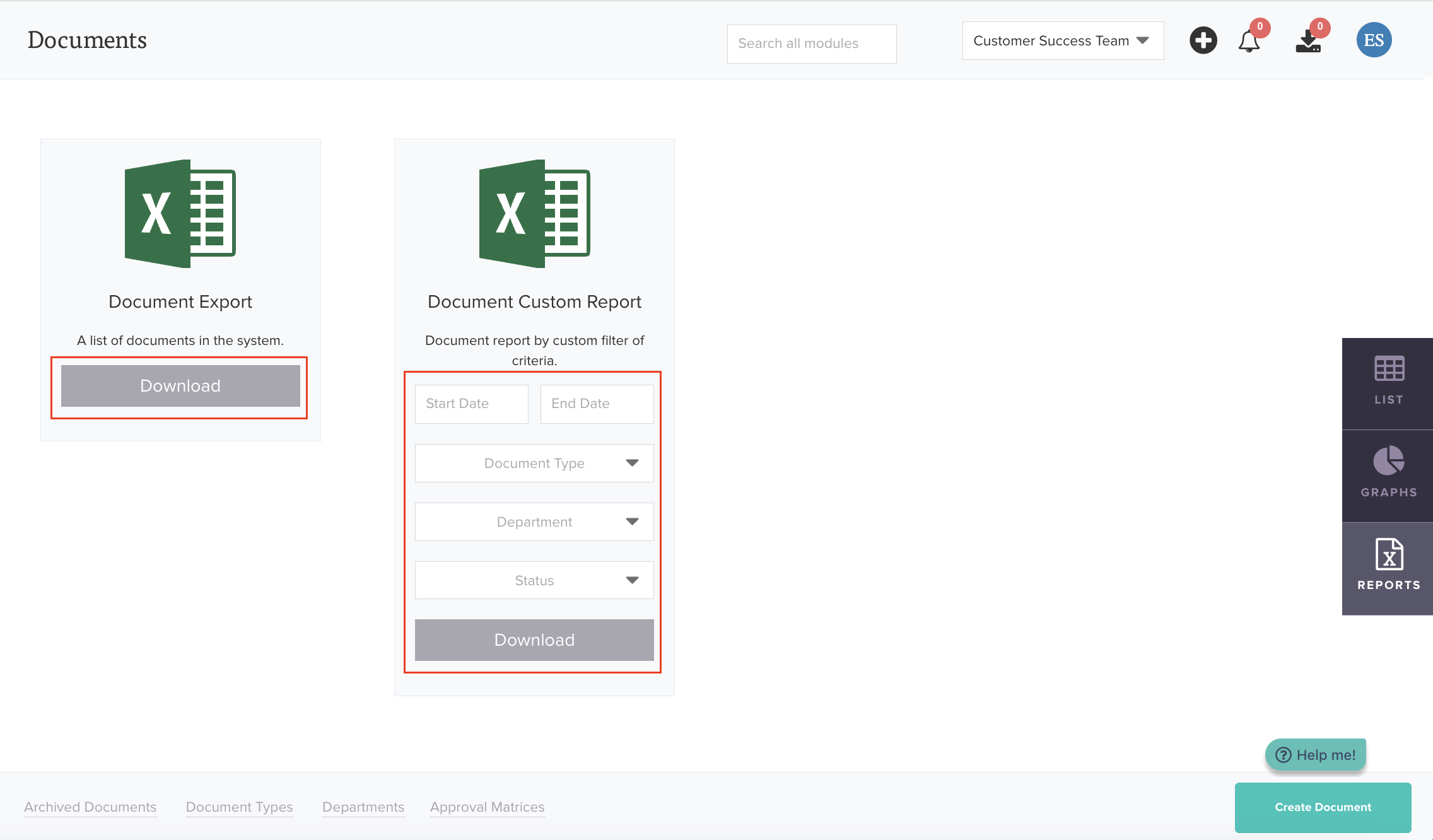
Step #3
To export your documents, click “Download” in the Document Export section for a complete list. For reports with specific filters or criteria, use the Document Custom Report to generate a tailored report.
Was this article helpful?
That’s Great!
Thank you for your feedback
Sorry! We couldn't be helpful
Thank you for your feedback
Feedback sent
We appreciate your effort and will try to fix the article